Call Us

We are ready to help

Request a special version

Didn't find what you were looking for?
This field cannot be empty.
This field must be at least 3 characters long.

Files

Drag & Drop files here or click to browse

File format supported: (.pdf, .zip, .docx, .png, .jpg .xlsx, .xls, .csv, .txt) & Max Filesize: 25mb

Need to be uploaded up 1 to 3 files.
File format supported: (.pdf, .zip, .docx, .png, .jpg .xlsx, .xls, .csv, .txt) & Max Filesize: 25mb
Leave your details so we can contact you
This field cannot be empty.
This field must be at least 3 characters long.
This field cannot be empty.
Please enter a valid email address.
This field cannot be empty.
Please enter a valid phone number.
This field cannot be empty.
Server error. Try again later.
Thank you!
We will send you a confirmation email and will contact you soon.
Don't have account yet? Register
Back to shopping

Setting the data format

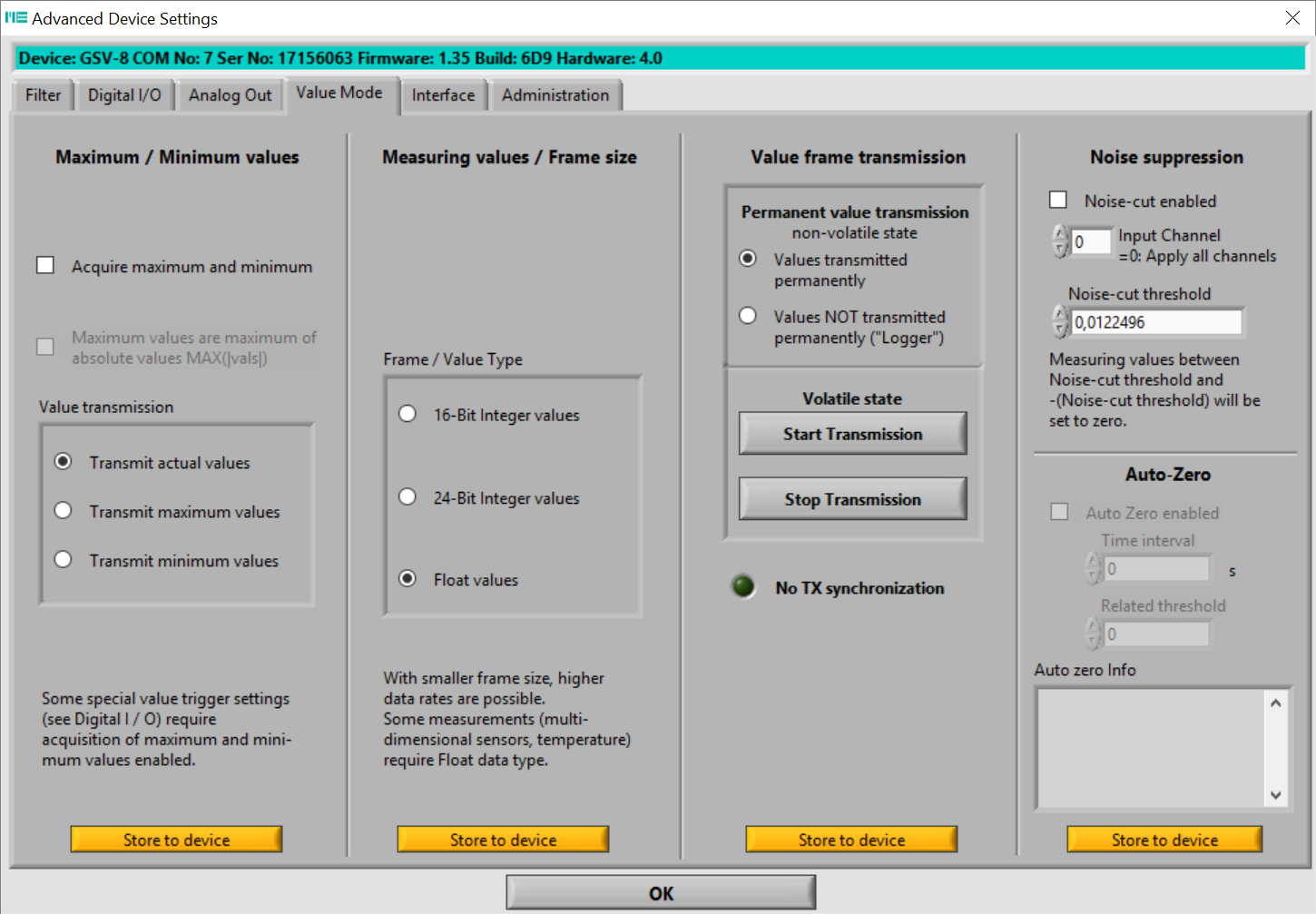
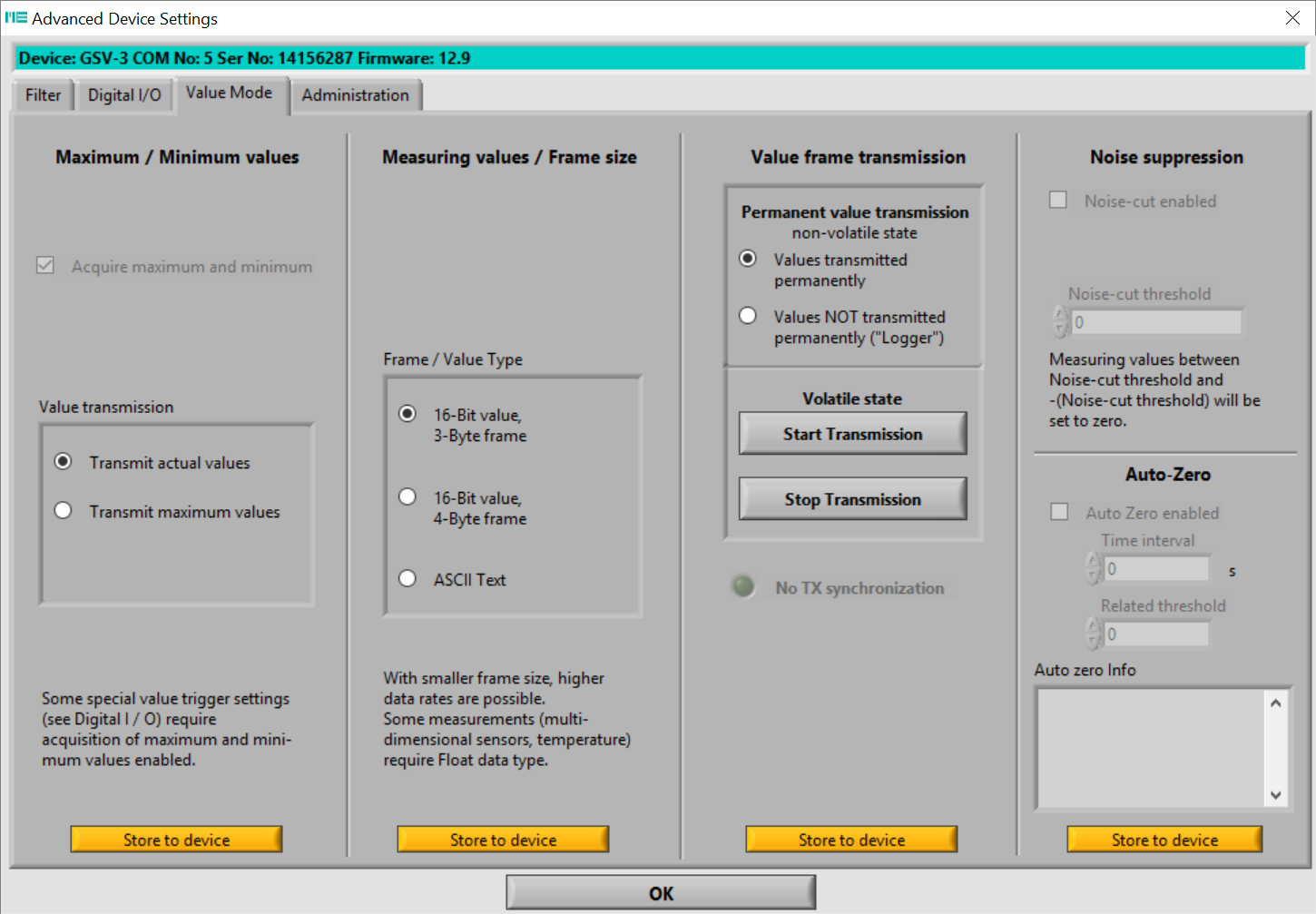
Via the menu bar you can go from "Device" --> "Advanced Settings" --> "Value Mode" to set the data format and transmission behavior.


The default data format of the GSV-8 is "Float."

Selecting 24-bit allows you to set a maximum data frequency of 24,000 Hz.

Selecting 16-bit allows you to set a maximum data frequency of 48,000 Hz.

After the GSV-8 is switched on, it continuously transmits measured values ​​at the set data frequency. (Values ​​transmitted permanently)

Selecting "Values ​​NOT transmitted permanently ("Logger") causes the GSV-8 to transmit individual measured values ​​only upon request (e.g., via the "Getvalue" command or via hardware trigger).


For the measuring amplifiers of the GSV-2 and GSV-3 series, the ASCII format and the "Logger" mode are particularly adjustable.

bars-filter